Introduction
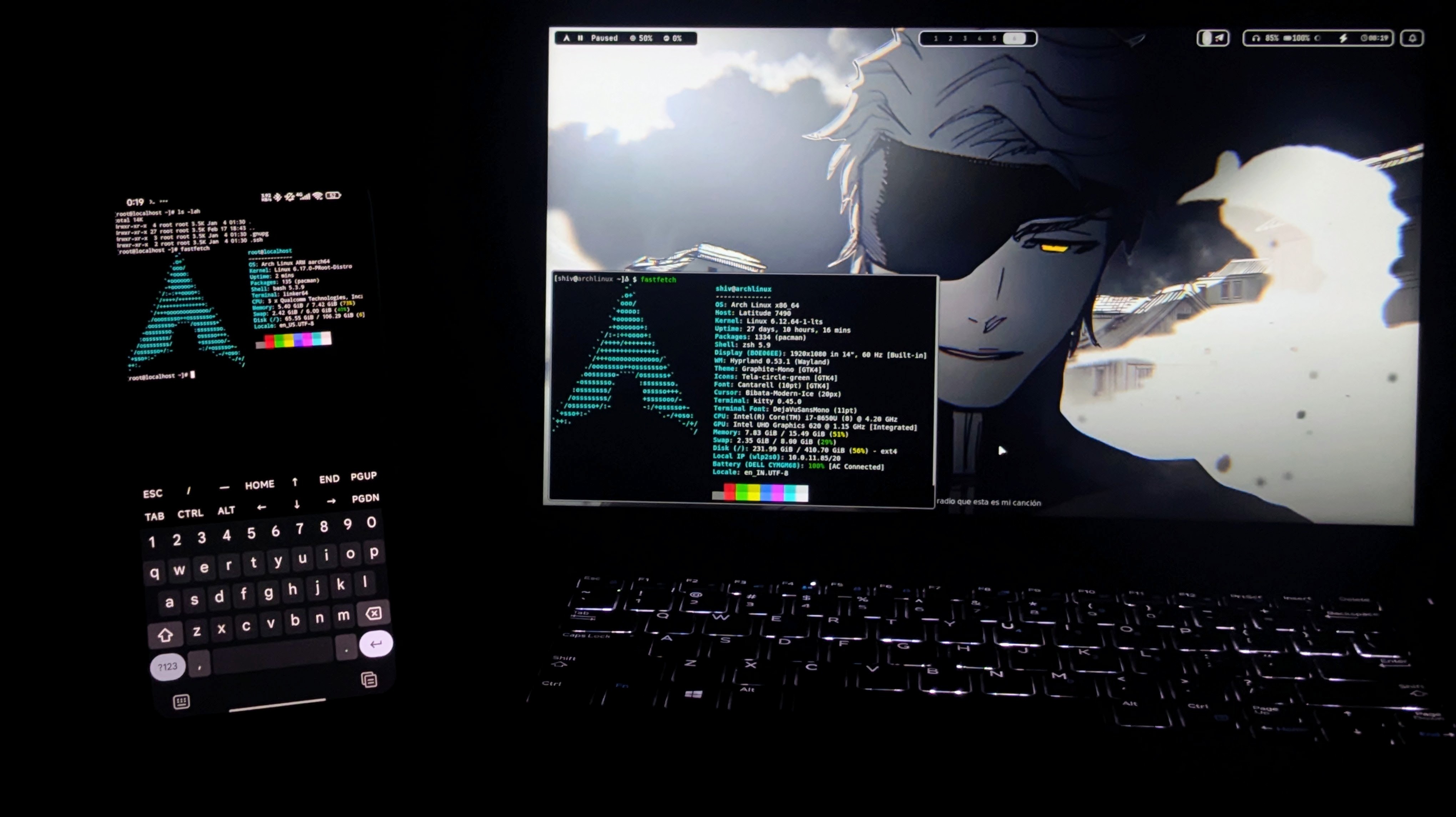
So you have a powerful Android phone, but you are limited by mobile apps. You want to code, compile kernels, or just flex “I use Arch btw” anywhere.
Now comes the real part: Running a full desktop Linux on Android without rooting or bootlooping your device.
I used to mess with chroot and buggy VNC viewers, but that was painful. The lag was unbearable.
This guide explains the modern method: Termux + Distrobox + Termux:X11. It gives you hardware acceleration, sound, and a shared filesystem with minimal effort.
Credits (Important)
Before anything else:
- Termux Team – for the only terminal emulator that matters on Android.
- twaik – for Termux:X11, the magic sauce that makes the GUI actually usable.
- 89luca89 – for Distrobox, making containers usable for humans.
- gdraheim – for the
docker-systemctl-replacementscript that fixes the init system.
Without these, you’d be stuck watching a slideshow over VNC.
What This Setup Installs
Using Termux and these tools, we get:
- Arch Linux (Rolling release, obviously)
- XFCE4 (Lightweight desktop environment)
- Termux:X11 (Hardware accelerated display server)
- PulseAudio (Working audio bridge)
- Systemd emulation (So services actually start)
- A usable dev environment in your pocket
Fast, smooth, and no root required.
Prerequisites
- Android Device (Preferably with 8GB+ RAM)
- F-Droid installed (Play Store Termux is dead/ancient)
- ADB enabled on PC (For one specific fix)
- Basic patience
Step 1: Install Termux & X11 (Correct Way)
⚠️ Do NOT install Termux from Play Store. It is outdated.
- Install Termux from F-Droid.
- Install Termux:X11 from GitHub Releases.
Open Termux and update everything:
pkg update && pkg upgrade -y
termux-setup-storage
Step 2: Install Host Utilities
We need a few packages to bridge the gap between Android and Linux.
pkg install x11-repo termux-api pulseaudio distrobox proot-distro -y
This grabs the X11 repo, audio server, and the container engine.
Step 3: Deploy Arch via Distrobox
Why Distrobox? Because proot-distro is fine, but Distrobox integrates better with your home folder.
distrobox create --name arch-box --image archlinux:latest
distrobox enter arch-box
Wait for it to pull the image. Coffee break recommended.
Step 4: Fix Systemd & Pacman
Containers don’t have a real init system. We fake it with Python.
Update the system first:
sudo pacman-key --init
sudo pacman-key --populate archlinux
sudo pacman -Syu --noconfirm
Install the systemctl replacement:
sudo pacman -S python git --noconfirm
git clone [https://github.com/gdraheim/docker-systemctl-replacement.git](https://github.com/gdraheim/docker-systemctl-replacement.git)
sudo cp docker-systemctl-replacement/files/docker/systemctl3.py /usr/bin/systemctl
sudo chmod +x /usr/bin/systemctl
Now you can run systemctl start without errors.
Step 5: The GUI (Termux:X11)
This is where the magic happens. VNC is garbage; X11 is life.
Inside Arch (Install XFCE):
sudo pacman -S xfce4 xfce4-goodies --noconfirm
Launch Sequence:
- Open a new Termux session (outside Arch) and run:
termux-x11 :1 &
- Go back to your Arch container and run:
export DISPLAY=:1
startxfce4 &
Open the Termux:X11 app. You should see a desktop.
Step 6: Audio & Fixes
Audio: In Termux (outside Arch), start PulseAudio:
pulseaudio --start --exit-idle-time=-1
pacmd load-module module-native-protocol-tcp auth-ip-acl=127.0.0.1 auth-anonymous=1
The “Phantom Process” Fix (ADB Required): Android 12+ likes to kill background apps that use too much CPU. To stop your desktop from vanishing:
Connect phone to PC and run via ADB:
adb shell "/system/bin/device_config put activity_manager max_phantom_processes 2147483647"
Common Issues
- App Crashes: You didn’t run the ADB command.
- No Sound: You forgot to start PulseAudio in the host Termux.
- Permission Denied: You are trying to touch
/devthings without root.
Fixing is part of the Android modding life.
Conclusion
Thanks to the Termux and Distrobox devs, we can now run a full rolling-release OS on a phone.
Minimal effort, maximum flex.
Personal Opinion
I don’t like carrying a laptop everywhere. This exists so I can fix a server or write some Python while sitting in a cafe with just my phone and a bluetooth keyboard. It’s overkill, but it works — and that’s enough.